A new season of Path of Exile 2 (POE2) has begun!
I logged in, excited to install the update quickly and try out the Druid class, but…
I encountered the POE2 error shown below.
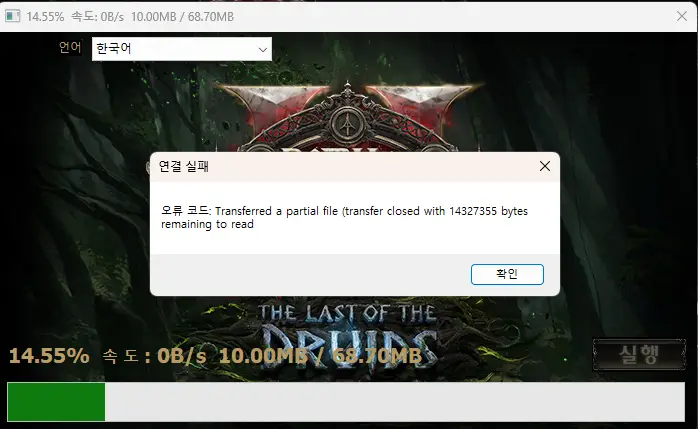
The error message that appeared in POE2 was:
“Transferred a partial file transfer closed with 14327355 bytes remaining to read”
The same error persisted even after multiple attempts.
Since the number of remaining bytes didn’t change at all, I suspected that the files were corrupted or “tangled” somewhere.
Finding the Solution
Since it was the first day of the new season, I searched to see if other users were experiencing the same symptoms. However, I couldn’t find any information on domestic (Korean) sites.
I used AI to perform some “Deep Research,” and sure enough, posts about this issue were popping up in overseas communities.
The solution for the “Transferred a partial file transfer closed…” error was surprisingly simple.
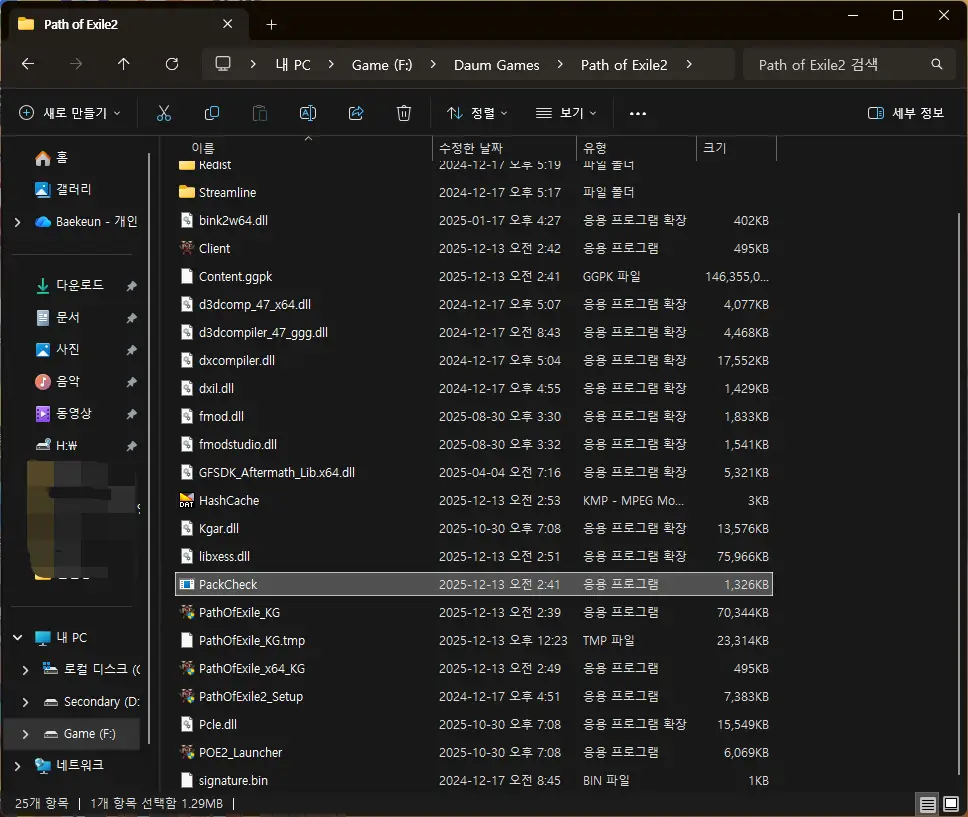
- Navigate to the folder where POE2 is installed.
- Look for a file named
PackCheck.exe. - Right-click this
PackCheck.exefile and Run as administrator.
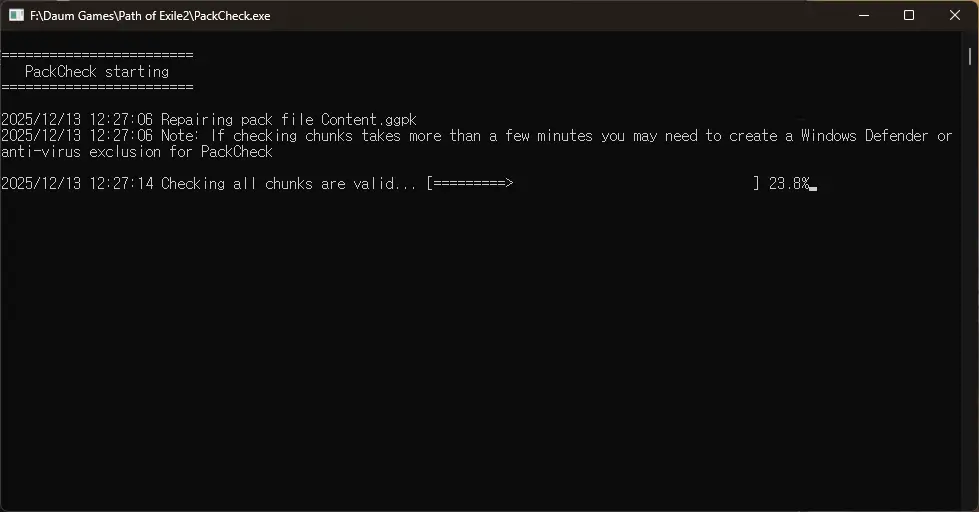
A CMD (Command Prompt) window like the one above will appear and begin scanning.
Note: This actually takes quite a bit of time. Since the installation size of POE2 is significant, the file integrity check requires some patience.
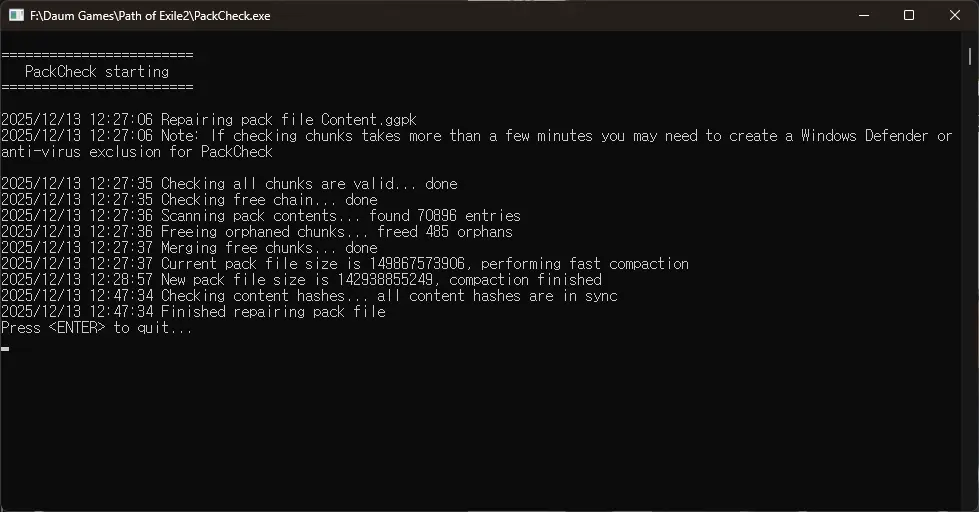
After some time, the screen confirmed that the PackCheck.exe file check was complete.
Press the Enter key to close the window.
When I launched POE2 again, I confirmed that it started up without any errors!
If you encounter the POE2 error starting with “Transferred a partial file transfer closed…”, following the steps above should resolve the issue.