iPhone 11 to iPhone 17 Upgrade Review — Is It Worth Switching After 6 Years?
This is my honest iPhone 11 to iPhone 17 upgrade review after one month of daily use. Here’s what actually changed — and what didn’t.
iPhone 17 Display: Easier on the Eyes
The display upgrade has been the most noticeable improvement by far. The switch from LCD to OLED, combined with a variable refresh rate up to 120Hz, makes everything feel noticeably smoother and easier on the eyes.
Outdoor visibility on bright, sunny days is also significantly better thanks to the higher peak brightness. If you spend a lot of time using your phone outside, this alone is a meaningful upgrade.
Bigger Screen, Fewer Typos
Going from 6.1 inches to 6.3 inches doesn’t sound like much, but the difference in typing accuracy is real — I’m making noticeably fewer typos on the iPhone 17. That said, compared to same-sized Android phones like the Galaxy series, the iPhone still lags a bit in this area.
iPhone 17 Weight: Lighter, But Still Heavy
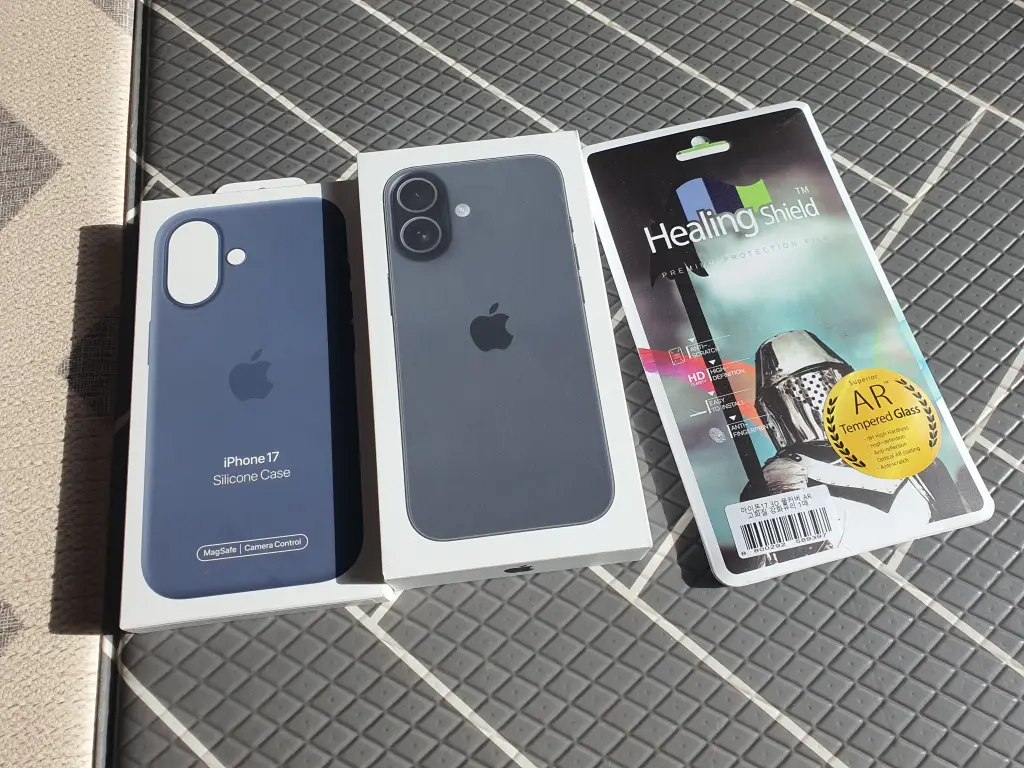
I loved the glass back on the iPhone 11, but the weight was always my biggest frustration. The iPhone 17 is roughly 20 grams lighter, which does make a difference — at least initially. After extended use, it still starts to feel heavy.
A19 Chip Performance: Powerful, But Hard to Notice
Benchmarks show the A19 chip in the iPhone 17 is roughly twice as fast as the A13 in the iPhone 11. In real-world use, though? Honestly, not that noticeable — at least for me.
After nearly six years with the iPhone 11, I never found it sluggish for everyday tasks. Since I don’t game or edit video on my phone, the A19’s power mostly goes untapped.
Where I do notice the speed difference: Face ID. It’s impressively fast, and the ability to unlock with a mask on is a genuinely useful improvement.
MagSafe: Haven’t Tried It Yet
I haven’t picked up any MagSafe accessories since switching, so I can’t speak to that experience yet. It feels wasteful to replace a perfectly good mount just to go MagSafe. I’m still debating whether to swap out my car mount for a MagSafe-compatible one.
Dynamic Island: Not as Great as Expected
I expected Dynamic Island to be a huge step up from the notch — but it hasn’t wowed me. I rarely use apps that take advantage of it, and when watching videos, it’s actually more distracting than the notch ever was.
RAM Upgrade: 4GB to 8GB
Doubling the RAM from 4GB to 8GB is a spec win on paper, but in practice, the only real difference I’ve noticed is slightly fewer app reloads. Not a game-changer.
iPhone 17 Camera: Front Camera Shines
The rear camera specs are significantly upgraded on paper, but I didn’t find the real-world improvement all that dramatic. The front camera, however, is noticeably better — photos look sharper, and Center Stage support is a feature I genuinely enjoy using.
One frustration: the Camera Control button. The placement feels awkward, and it keeps getting pressed accidentally. Still getting used to it.
Also, since this isn’t a Pro model, the camera upgrade from the iPhone 11 to the iPhone 17 didn’t impress me much. If camera performance is your main reason for upgrading, the Pro models are worth a look.
iPhone 17 Battery and Fast Charging
Compared to how long the battery lasted when I first got my iPhone 11, the iPhone 17’s battery feels a bit weaker. That doesn’t mean the actual battery life is short, though. It easily gets me through the day. What I really like is fast charging support. A short charge tops it up quickly, so battery anxiety is much less of an issue.
Siri: Disappointing at First, Now Improving (Beta)
Despite the major hardware leap, Siri remains a weak point. Compared to Samsung’s Bixby — and especially Galaxy AI — Siri feels years behind in terms of response quality and AI capabilities. It’s the most disappointing part of the iPhone 17 experience.
Improvements were reportedly coming with iOS 26.4, but word is that’s been delayed again. Until that changes, the iPhone 17 feels like an unfinished product on the software side.
Update: Siri has improved a lot with the iOS 27.2 update. It’s still in beta, but it’s clearly better than when I first switched to the iPhone 17.
iPhone 11 to iPhone 17 Upgrade Review: Final Verdict
To wrap up this iPhone 11 to iPhone 17 upgrade review — the hardware is genuinely impressive, but the software still has a way to go.
Update: Siri has gotten much better with the iOS 27.2 update. It’s still in beta, but the software side is finally starting to catch up.
If you’re upgrading from an iPhone 11 or older, the hardware improvements are genuinely worthwhile — especially the display and Face ID. Just go in knowing that Siri won’t impress you.
One last note: if the iPhone 17 Plus had stuck around, I would have bought that instead. Losing the Plus line means the only option at 6.7 inches or larger is now the Pro Max — and that’s a tough pill to swallow for those of us who want size without the Pro price tag.
Product I Use
iPhone 17
Choose your storage carefully. iPhone storage can’t be expanded later, so pick a size that will last you for years.
Check price on Amazon →As an Amazon Associate I earn from qualifying purchases. This post contains affiliate links, at no extra cost to you.